> ## Documentation Index
> Fetch the complete documentation index at: https://deepl-c950b784-docs-translation-memory-threshold-minimum.mintlify.site/llms.txt
> Use this file to discover all available pages before exploring further.
# Managing API Keys in the Account UI
> Create, rename, deactivate, and set usage limits and permissions on DeepL API keys in the account UI.
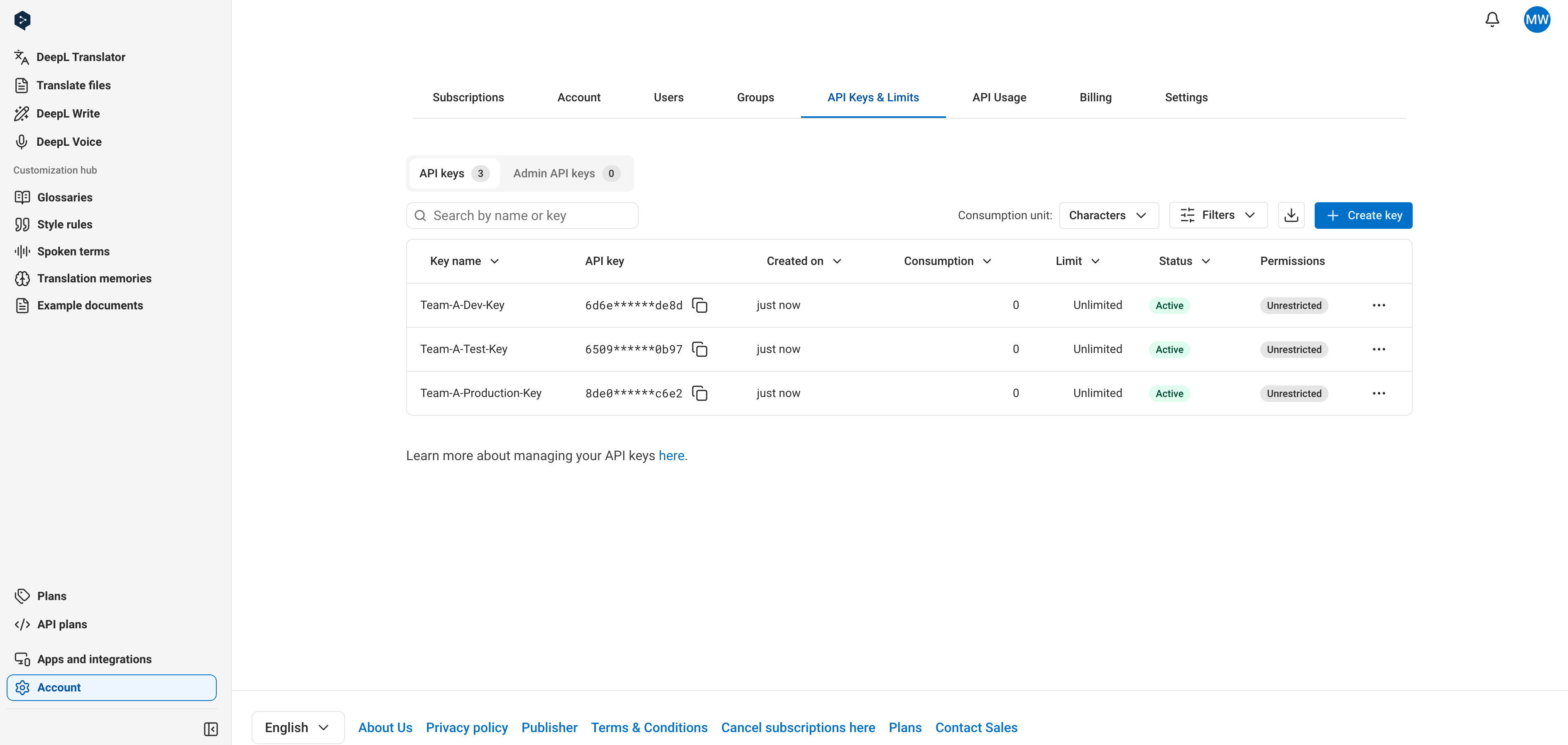
Manage your API keys in the ["API Keys & Limits" tab](https://www.deepl.com/your-account/keys) when signed into your DeepL API account. A single subscription can have multiple simultaneously active keys: up to 25 on Pro API plans and up to 2 on Free API plans.
This tab has two subtabs: "API Keys" and "Admin API Keys." The sections below — filtering, creating, copying, renaming, deactivating, setting usage limits, and setting permissions — all describe the "API Keys" subtab. See [Manage admin API keys](#manage-admin-api-keys) for how the "Admin API Keys" subtab differs.
To create, deactivate, and limit developer keys programmatically instead, use the [Admin API](/docs/admin/overview#the-admin-api).
 ## Filter API keys
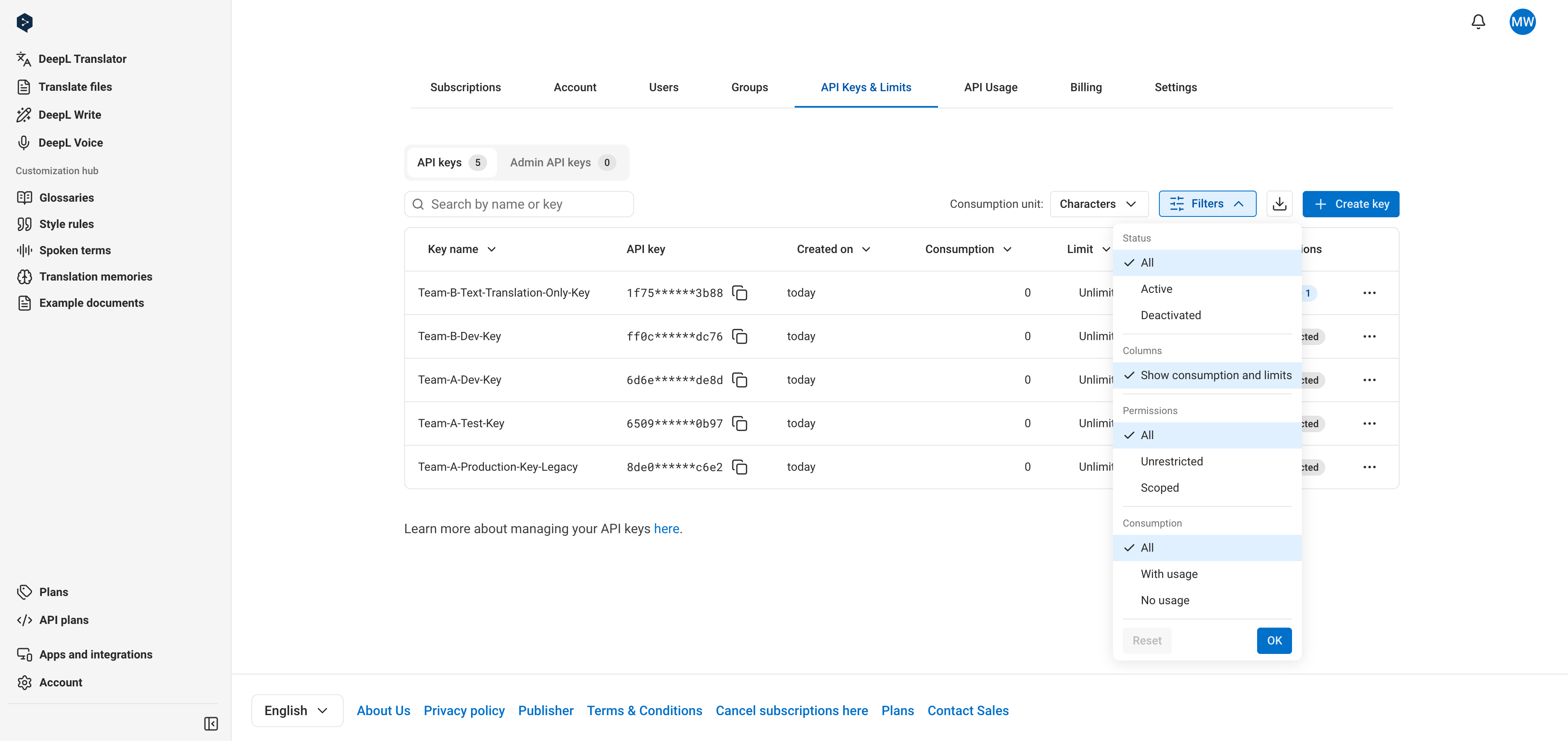
You can filter API keys by dimensions such as key status, key-level permissions, and consumption. Use this to quickly narrow the key table down to, for example, only active keys or only keys nearing their usage limit.
## Filter API keys
You can filter API keys by dimensions such as key status, key-level permissions, and consumption. Use this to quickly narrow the key table down to, for example, only active keys or only keys nearing their usage limit.
 ## Create a key
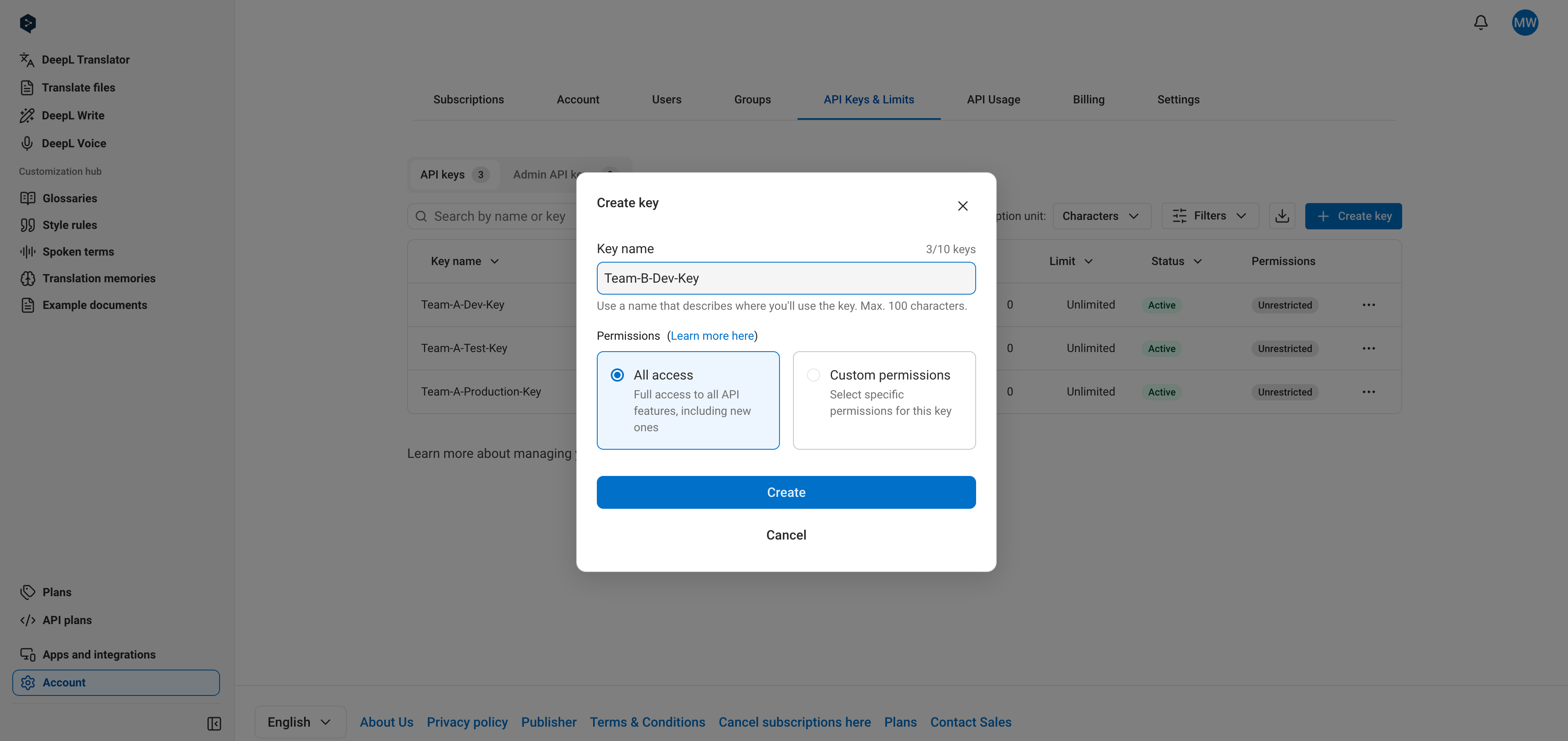
Click "Create key". You can optionally name the key during creation; if you don't, it's named "DeepL API Key" automatically. Naming keys lets you find them later using the search bar on the "API keys" tab.
## Create a key
Click "Create key". You can optionally name the key during creation; if you don't, it's named "DeepL API Key" automatically. Naming keys lets you find them later using the search bar on the "API keys" tab.
 After you confirm, a popup shows the new key. Copy it from this popup to use it immediately, or copy it from the key table at any time.
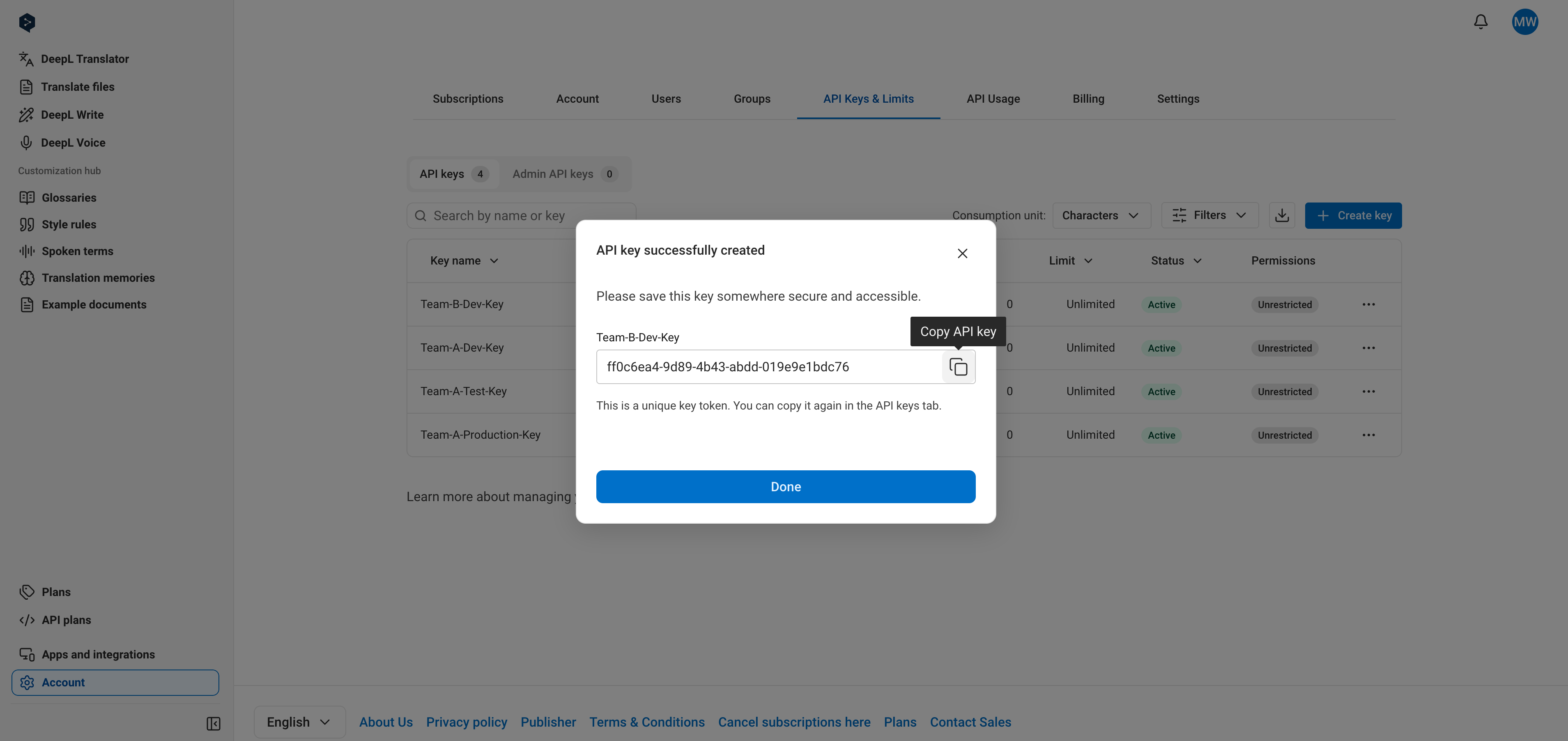 To create a key that can only access specific endpoints, select **Custom permissions** during creation. See [Set key permissions](#set-key-permissions).
## Copy a key
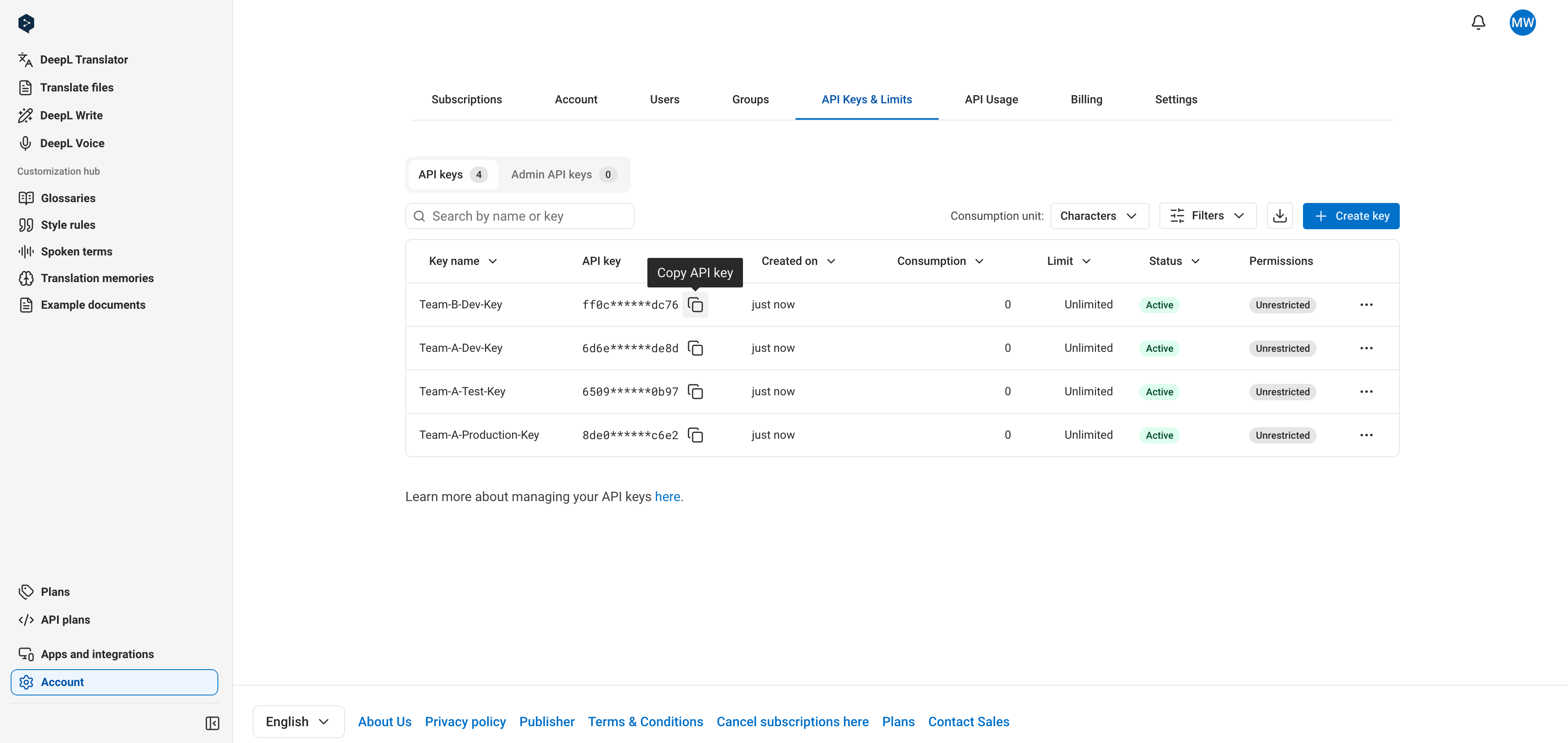
Click the "Copy" icon next to the key. For security reasons, the full key is never shown in the key table. Both active and deactivated keys can be copied.
To create a key that can only access specific endpoints, select **Custom permissions** during creation. See [Set key permissions](#set-key-permissions).
## Copy a key
Click the "Copy" icon next to the key. For security reasons, the full key is never shown in the key table. Both active and deactivated keys can be copied.
 ## Rename a key
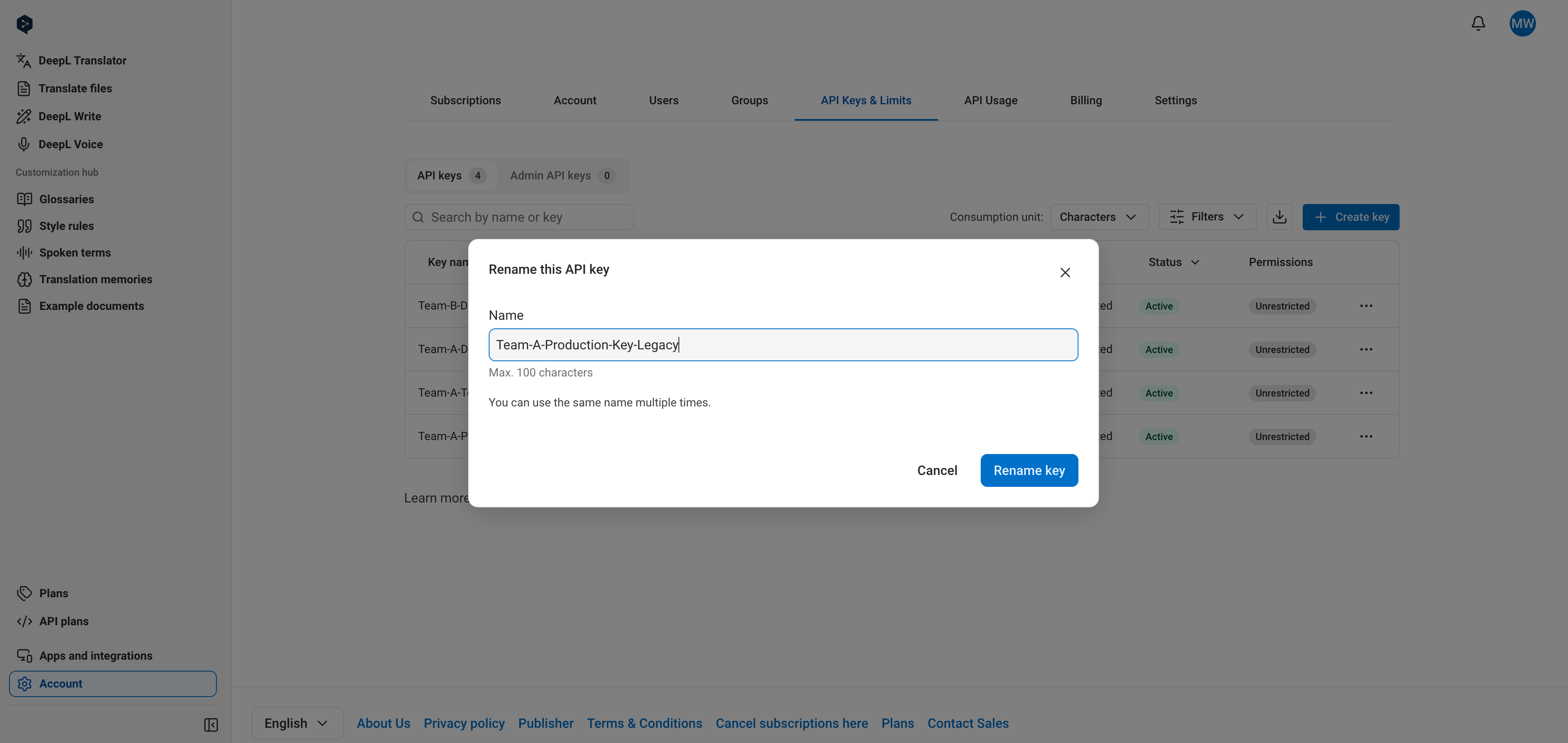
Select "Rename key" from the key's options menu. Both active and deactivated keys can be renamed, and two keys can share the same name.
## Rename a key
Select "Rename key" from the key's options menu. Both active and deactivated keys can be renamed, and two keys can share the same name.
 ## Deactivate a key
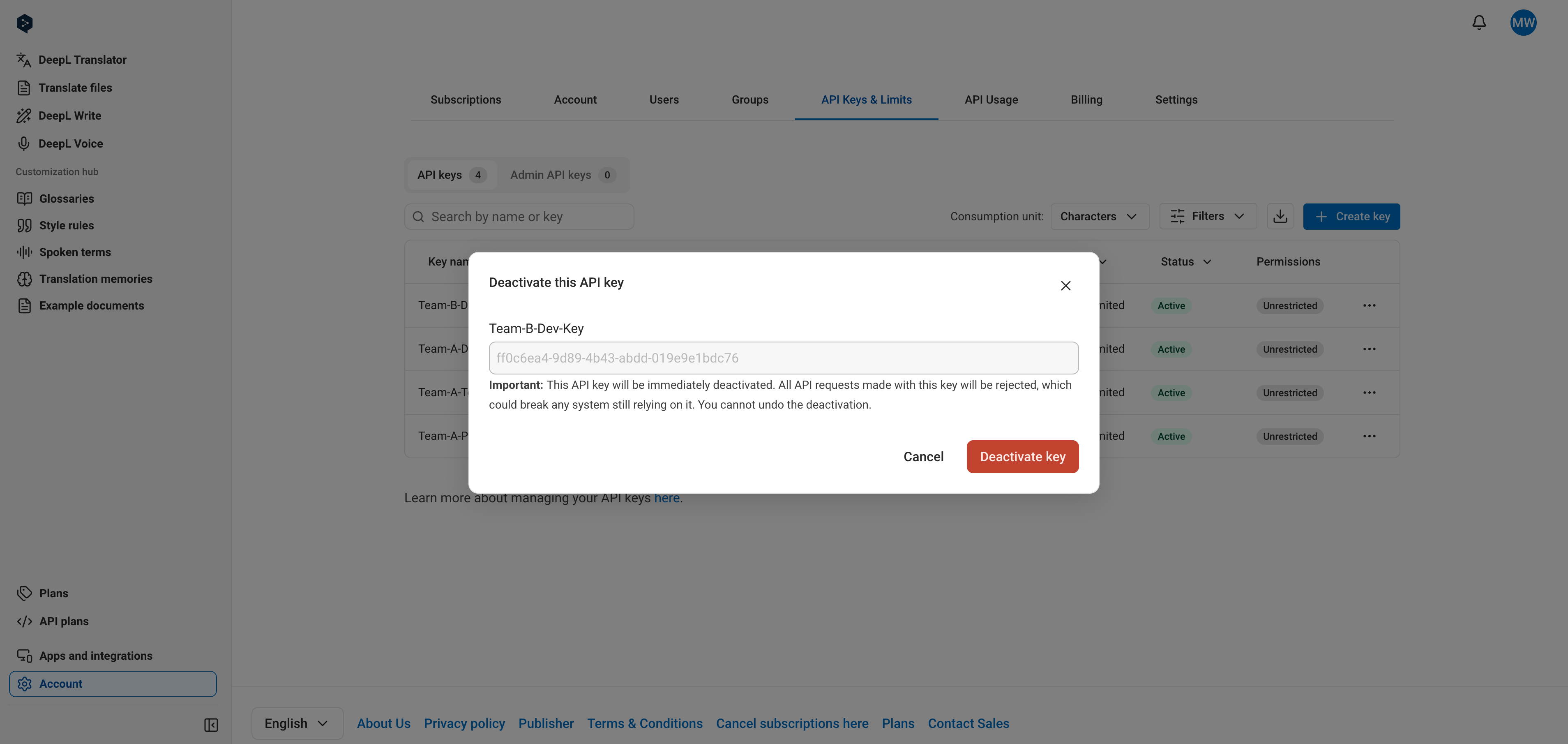
A key stops working immediately when deactivated, and deactivation is permanent: a deactivated key cannot be reactivated.
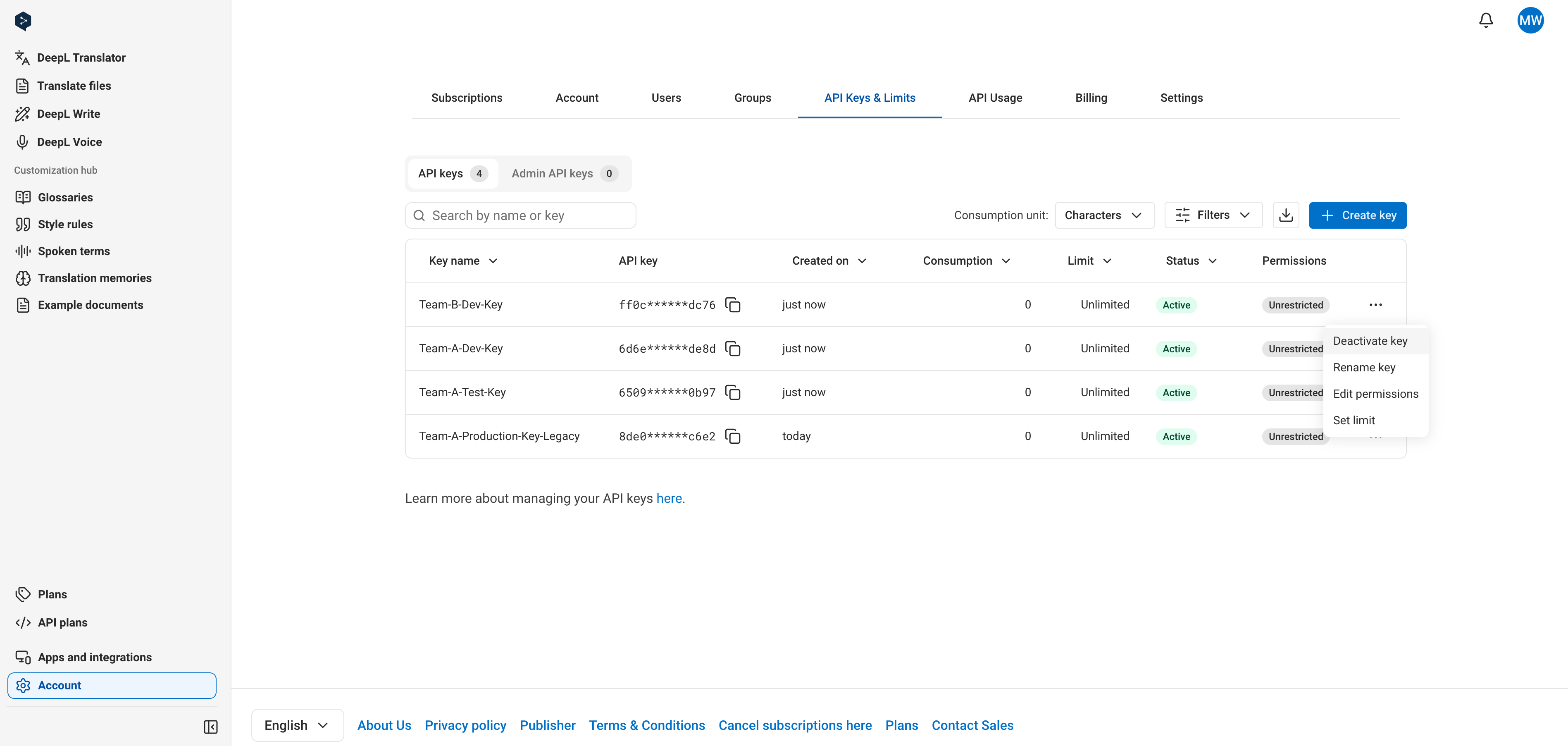
Select "Deactivate key" from the key's options menu, then confirm.
## Deactivate a key
A key stops working immediately when deactivated, and deactivation is permanent: a deactivated key cannot be reactivated.
Select "Deactivate key" from the key's options menu, then confirm.
 ## Set a key-level usage limit
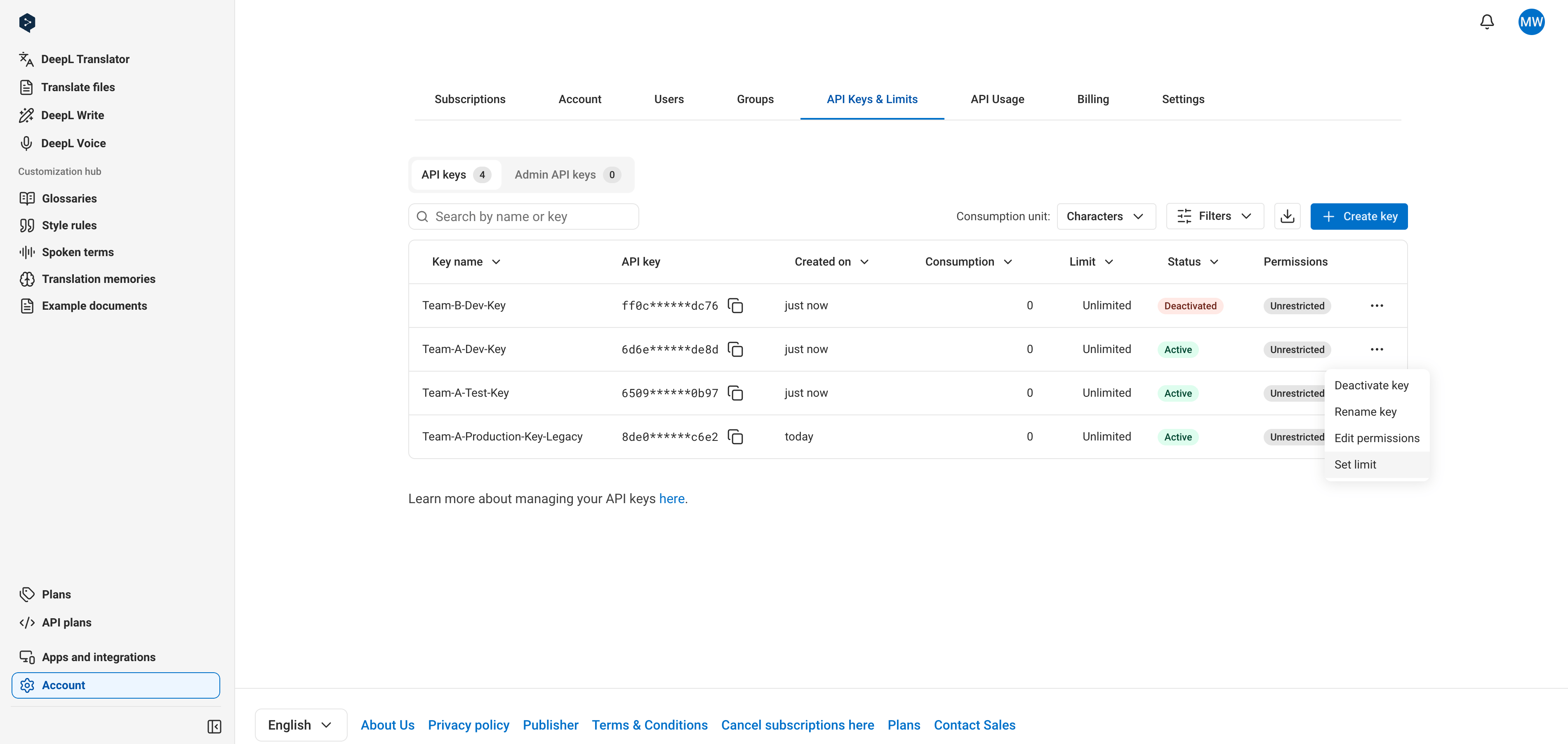
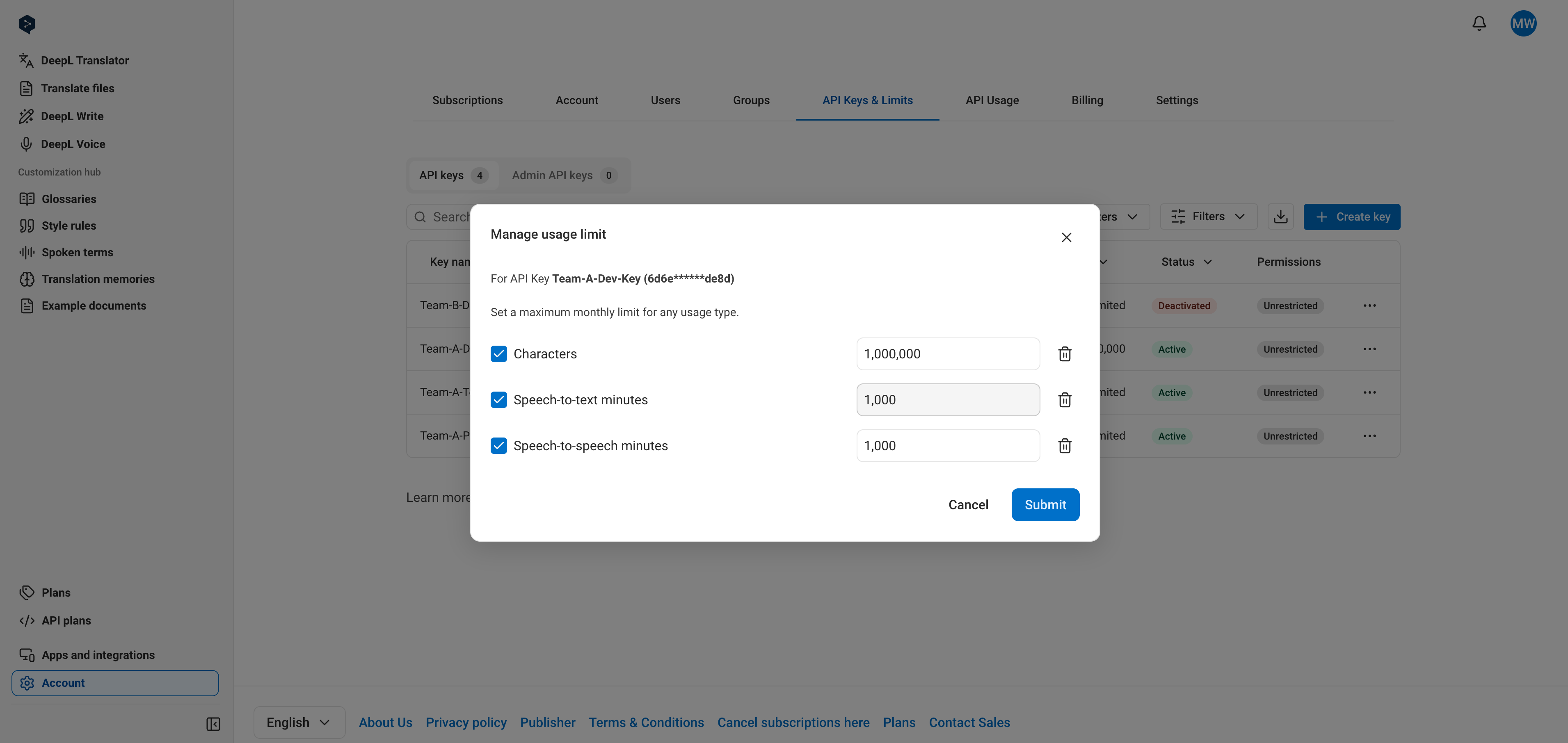
Key-level limits cap how much a key can consume in a one-month usage period. You can set a limit in characters (across text translation, document translation, and text improvement), STT minutes, or STS minutes. For example, a key with a 1,000,000 character limit stops consuming at 1,000,000 characters and starts fresh when the next usage period begins. You can see your current usage period dates in the [API Usage tab](https://www.deepl.com/your-account/usage).
To set a limit, select "Set limit" from the key's options menu, activate the limit, choose the unit (characters, STT minutes, or STS minutes), and enter an amount. Setting the limit to 0 prevents the key from consuming any of that unit.
## Set a key-level usage limit
Key-level limits cap how much a key can consume in a one-month usage period. You can set a limit in characters (across text translation, document translation, and text improvement), STT minutes, or STS minutes. For example, a key with a 1,000,000 character limit stops consuming at 1,000,000 characters and starts fresh when the next usage period begins. You can see your current usage period dates in the [API Usage tab](https://www.deepl.com/your-account/usage).
To set a limit, select "Set limit" from the key's options menu, activate the limit, choose the unit (characters, STT minutes, or STS minutes), and enter an amount. Setting the limit to 0 prevents the key from consuming any of that unit.
 As with subscription-level [cost control](/docs/best-practices/cost-control):
* You receive notification emails when a key reaches 80% and 100% of its limit
* The API responds with `456 Quota exceeded` errors once 100% of the limit is reached
To monitor consumption against a limit, check the "Characters consumed" column in the key table or see [Retrieving Usage Data](/docs/admin/retrieving-usage-data).
## Set key permissions
Permissions restrict a developer key to specific endpoints. This section covers the UI steps; to understand how permissions are enforced, see [Understanding API Key Permissions](/docs/admin/api-key-permissions), and for what each scope covers, see [Permission Scopes](/docs/admin/permission-scopes).
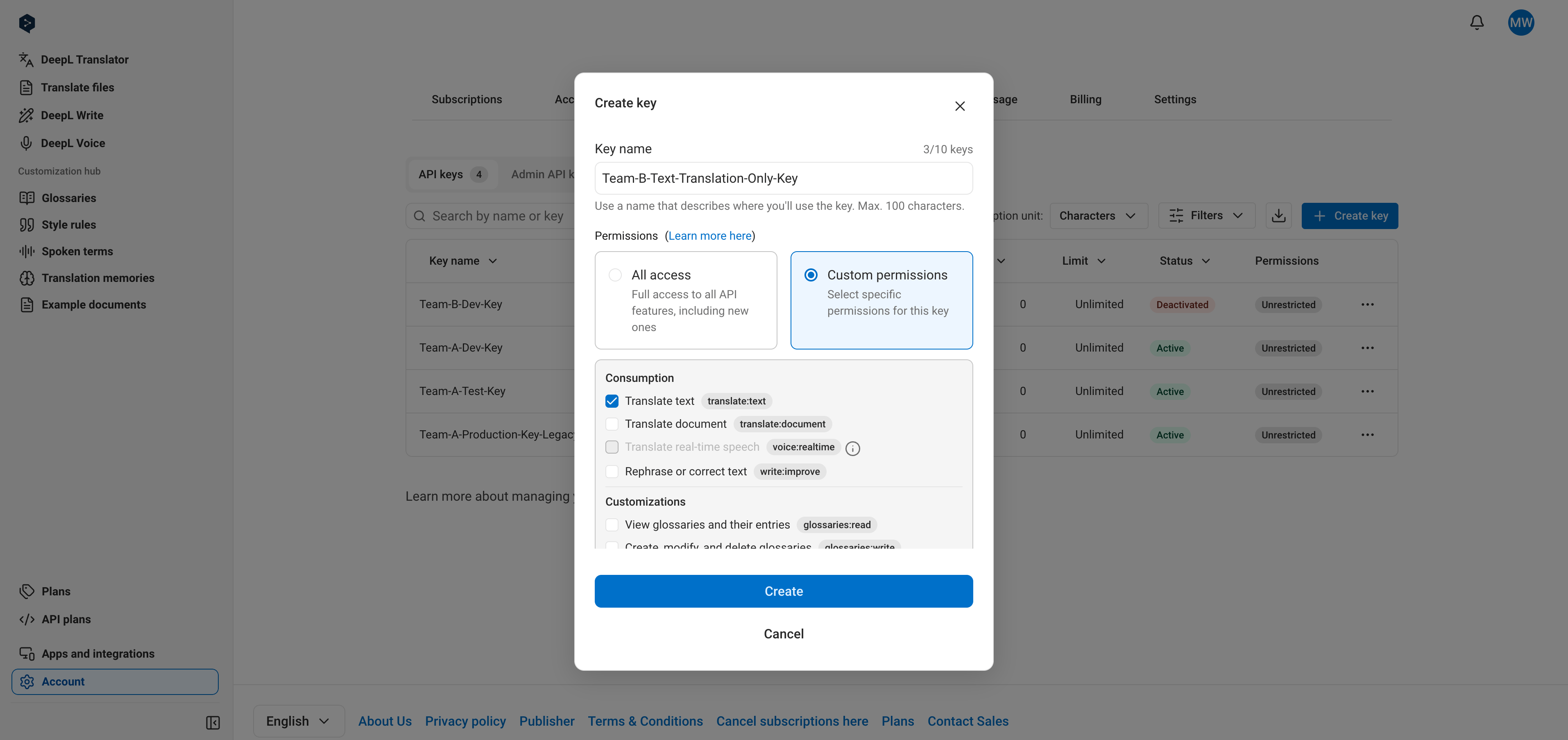
To create a scoped key, click "Create key", select **Custom permissions**, choose one or more scopes from the list, and confirm.
As with subscription-level [cost control](/docs/best-practices/cost-control):
* You receive notification emails when a key reaches 80% and 100% of its limit
* The API responds with `456 Quota exceeded` errors once 100% of the limit is reached
To monitor consumption against a limit, check the "Characters consumed" column in the key table or see [Retrieving Usage Data](/docs/admin/retrieving-usage-data).
## Set key permissions
Permissions restrict a developer key to specific endpoints. This section covers the UI steps; to understand how permissions are enforced, see [Understanding API Key Permissions](/docs/admin/api-key-permissions), and for what each scope covers, see [Permission Scopes](/docs/admin/permission-scopes).
To create a scoped key, click "Create key", select **Custom permissions**, choose one or more scopes from the list, and confirm.
 To change permissions on an existing key, select "Edit permissions" from the key's options menu. Choose **All access** to make the key unrestricted, or **Custom permissions** to select specific scopes, then save.
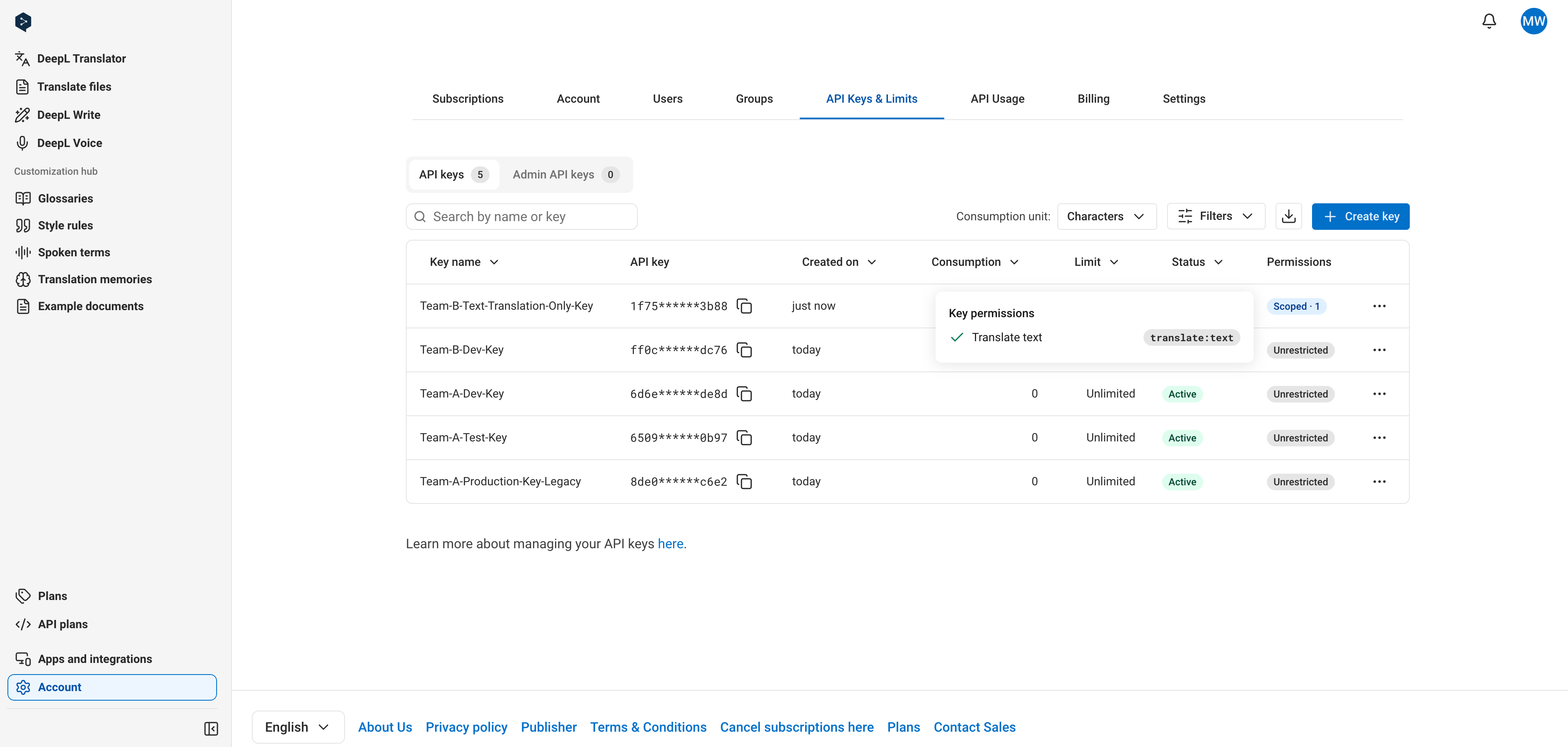
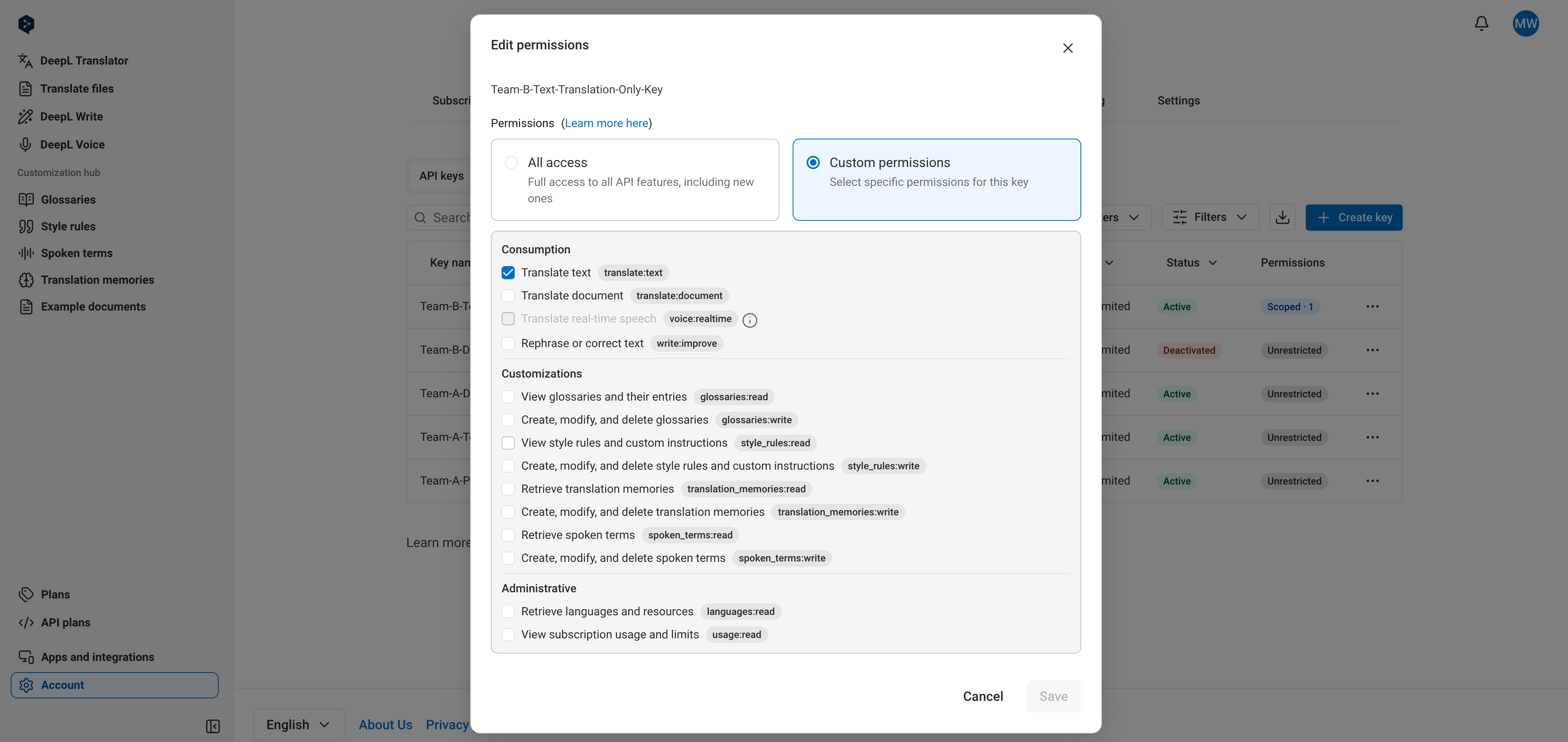 The "Permissions" column in the key table shows each key's status as a badge. Hover over a badge to see the assigned scopes.
 ## Manage admin API keys
On the API Pro, API Growth, and API Enterprise plans, you manage [admin keys](/docs/admin/overview#the-admin-api) on the "Admin API Keys" subtab of the ["API Keys & Limits" tab](https://www.deepl.com/your-account/keys?keyType=admin).
## Manage admin API keys
On the API Pro, API Growth, and API Enterprise plans, you manage [admin keys](/docs/admin/overview#the-admin-api) on the "Admin API Keys" subtab of the ["API Keys & Limits" tab](https://www.deepl.com/your-account/keys?keyType=admin).
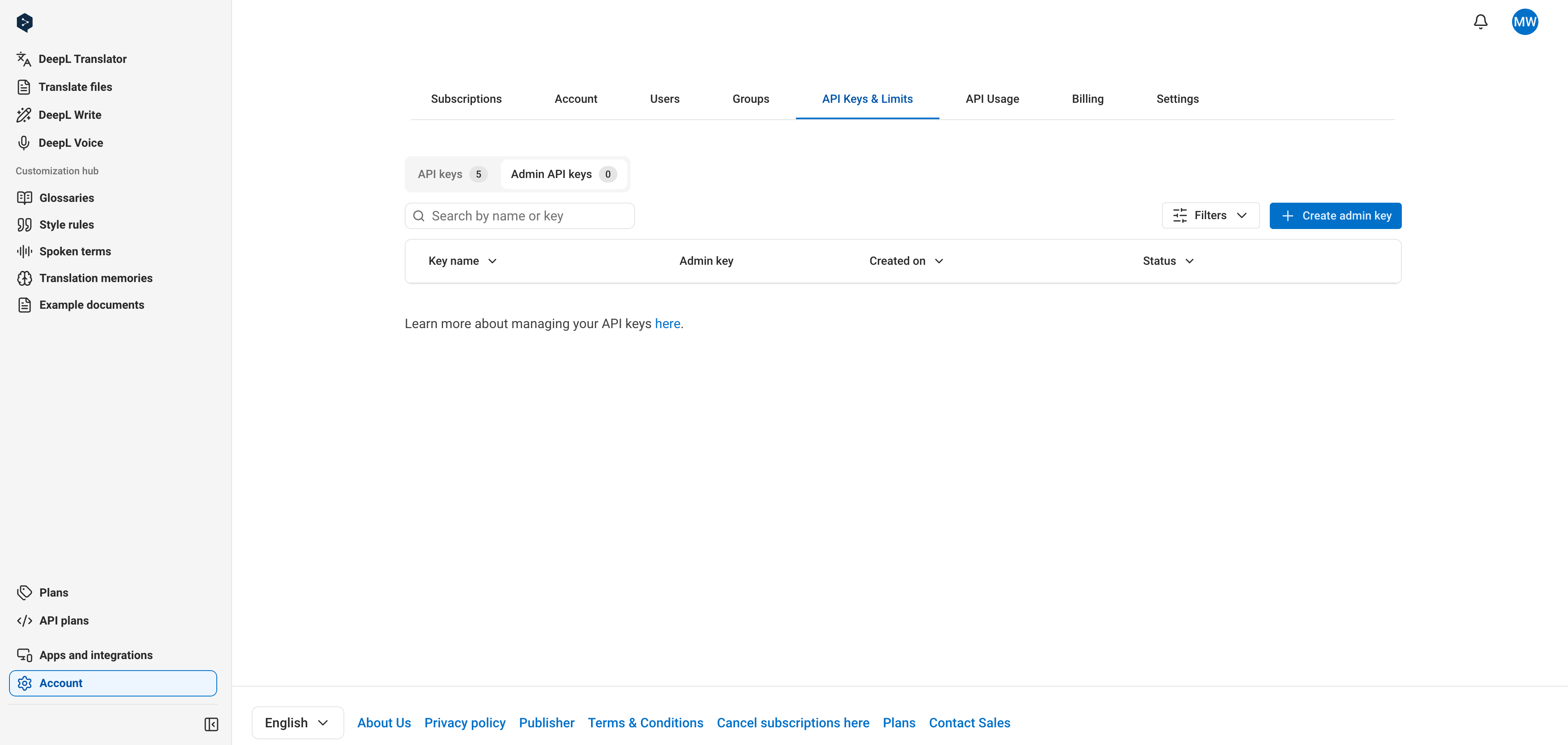 Admin keys support the same actions as developer keys: create, copy, rename, and deactivate them from the "Admin API Keys" subtab exactly as described above. The differences:
* Admin keys always end with an `:adm` suffix, which distinguishes them from developer keys
* Unnamed admin keys are called "DeepL Admin Key" by default
* You can create up to 25 simultaneously active admin keys
* Usage limits and permissions don't apply to admin keys
Admin keys support the same actions as developer keys: create, copy, rename, and deactivate them from the "Admin API Keys" subtab exactly as described above. The differences:
* Admin keys always end with an `:adm` suffix, which distinguishes them from developer keys
* Unnamed admin keys are called "DeepL Admin Key" by default
* You can create up to 25 simultaneously active admin keys
* Usage limits and permissions don't apply to admin keys